The Windows 11 KB5127648 update is now available as Microsoft’s October 2026 security release for supported Windows 11 PCs. It contains security fixes and the quality improvements that Microsoft previously tested in an optional preview update. Installation is recommended because the package is part of the regular security cycle, but users should still review known issues and keep a current backup before deployment. Microsoft’s official support page is the authoritative reference for the build numbers and any later status changes.
What the Windows 11 KB5127648 update changes
Microsoft lists KB5127648 for Windows 11 versions 25H2 and 24H2, moving both branches to OS builds 26200.6899 and 26100.6899 respectively. The package is cumulative, so a machine receives earlier fixes it may have missed as well as the changes introduced this month. That makes the update relevant to home users, business fleets, and administrators maintaining mixed groups of supported Windows 11 devices.
The release incorporates quality work from the preceding preview while adding the month’s security protections. Microsoft’s servicing model means users do not need to install the preview first. Windows Update should offer the cumulative package automatically, while organizations can deploy it through their usual management channels after completing compatibility checks.
Why the security release matters
Monthly Windows security updates address vulnerabilities across the operating system and bundled components. A cumulative package can also change system behavior outside the narrow security fixes, which is why staged deployment remains sensible. Consumer PCs should normally install the update promptly, while managed environments can begin with a representative pilot group before wider rollout.
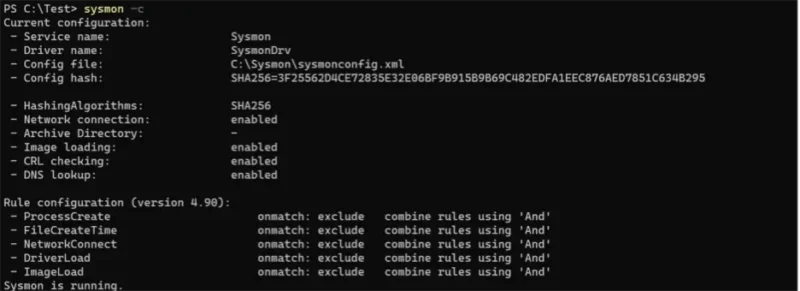
Before installation, save important work and confirm that the device has enough free storage. Laptops should be connected to power. On systems used for production, recording the current build, backup state, encryption recovery key, and critical driver versions makes troubleshooting easier if a regression appears after restart.
How to install and verify it
Open Settings, select Windows Update, and choose Check for updates. After Windows downloads the package, restart when convenient. To verify installation, open Settings, System, About and compare the OS build with Microsoft’s documentation. Version 25H2 should report build 26200.6899, while version 24H2 should report 26100.6899.
If the update is not offered, first check the installed Windows version and whether the device is managed by an organization. Compatibility holds, update deferrals, paused updates, and policy settings can delay availability. Avoid downloading packages from unofficial mirrors. The Microsoft Update Catalog is the appropriate manual source when an administrator genuinely needs an offline installer.
A practical rollout plan
For a single personal computer, create a backup, install the update, restart, and test networking, audio, printing, sign-in, and the applications you use every day. For a business fleet, deploy first to a small group covering the main hardware models and security products. Monitor event logs, help-desk reports, VPN access, endpoint protection, and performance before expanding the deployment.
Do not remove a security update merely because another user reports a problem online. Confirm that the same Windows version, build, driver, and software combination is affected. If Microsoft documents a known issue, follow its mitigation or rollback guidance. Otherwise, troubleshooting should begin with logs, application updates, and vendor support rather than an immediate uninstall.
What users should watch after restart
Pay attention to failed sign-ins, missing network adapters, unusually slow startup, application crashes, and printing or audio problems. Most devices will complete the update without disruption, but early observation helps isolate changes. Administrators should also confirm that endpoint security and management agents remain healthy and that scheduled maintenance completed successfully.
For another recent security rollout and an example of why vendor advisories matter, see our report on the Galaxy S26 October security patch. The products differ, but the same principle applies: install verified security updates, read the official notes, and keep recovery options ready.
Bottom line
The Windows 11 KB5127648 update is a routine but important cumulative security release for versions 25H2 and 24H2. Home users should install it through Windows Update after saving their work, while organizations should use a short pilot and verify core services before broad deployment. Microsoft may revise the support page if new known issues appear, so that page should remain the final reference rather than screenshots or third-party download sites.