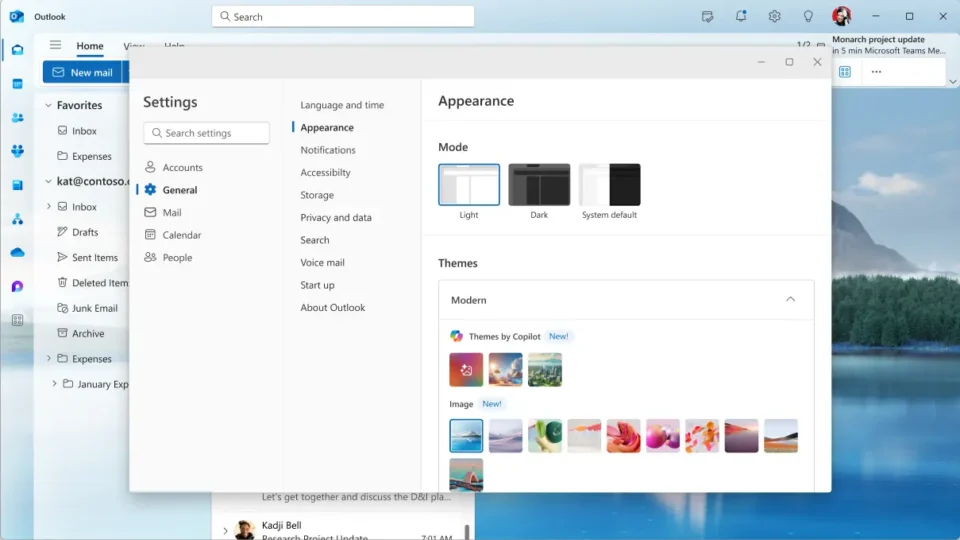
Outlook Themes by Copilot retirement is reportedly planned for the end of October 2026, according to a Microsoft 365 Message Center notice covered by Neowin. The feature in the new Outlook uses Microsoft 365 Copilot to create a personalized visual theme based on a location or topic, an art style and a refresh schedule. The change does not affect sending or receiving email, but users who want to preserve their current appearance should understand the limitation before switching themes.
Microsoft’s public support page still explains how Themes by Copilot works in the new Outlook for Windows, the web, macOS, iOS and Android. At the time of verification, that public article did not display a retirement notice. The reported deadline therefore comes from an administrative Microsoft 365 notice rather than the public help page, and Microsoft may still clarify the schedule or scope.
Outlook Themes by Copilot retirement: what changes
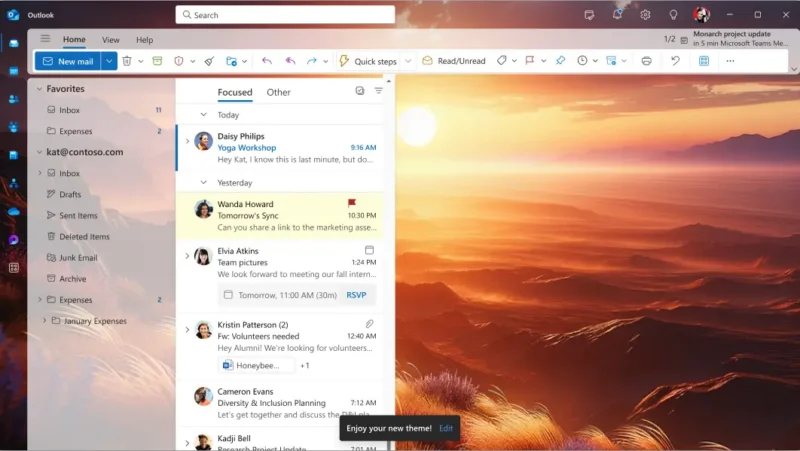
According to the report, the ability to generate new Copilot themes will be removed by the end of October. People who already have an active Copilot theme should be able to keep it, but there is an important practical warning: after retirement, switching to another theme may prevent the user from recreating or re-enabling the previous AI-generated design. The existing choice may remain visible, while the generator itself disappears.
The notice is said to cover the new Outlook for Windows, Outlook on the web, the Mac app and the iOS and Android apps. Classic Outlook does not offer the same generative-theme workflow. In an organization, availability also depends on whether the user has an eligible Microsoft 365 Copilot license assigned by an administrator.
How the feature currently works
Microsoft’s official Copilot theme documentation directs users to Settings, General and Appearance. Under Custom Theme, they choose a subject or location, a visual style and a refresh cadence before asking Copilot to generate the design. On supported devices, the theme can adapt to the time of day or local weather.
This is primarily visual personalization. It does not change message content, mailbox rules, calendar data or storage. Removing the generator therefore does not erase mail or remove Copilot tools for drafting and summarizing messages. The affected component is the background and associated color treatment inside Outlook.
What users should do before the deadline
- If the current Copilot theme matters to you, avoid changing it until Microsoft publishes final migration details.
- Take a simple screenshot for personal reference, but keep messages and sensitive information out of the frame.
- Confirm whether you use the new Outlook and whether the theme belongs to a work or personal account.
- Administrators should review their own Message Center notices because public documentation may not show the same deadline immediately.
- Prepare a standard Outlook theme as a fallback in case the generated design resets after an update or device change.
Why is Microsoft removing it?
The available notice does not provide a detailed technical reason. Explanations involving usage levels, generation costs or product simplification would be speculation and should not be presented as confirmed. What can be observed is that Microsoft frequently adjusts Copilot packaging and feature availability across personal, business and platform-specific products.
For organizations, the operational effect may matter more than the cosmetic change. Internal training, screenshots and support documents made with a Copilot theme may look different after employees return to a standard design. Help-desk teams can prepare a short notice in advance and avoid reports that Outlook is “broken” when its core functions remain unchanged.
Which alternatives remain
Outlook still provides standard themes, light and dark modes and basic appearance controls. These settings do not depend on a generative model and may be better for people who prioritize readability, contrast and consistency. A standardized design can also make support easier across different devices in a managed environment.
Users considering a broader productivity change can also review our guide to free Microsoft Office alternatives. Replacing an entire office suite is not necessary because of one retired Outlook theme, but the comparison is useful for teams evaluating cost, compatibility and control.
The deadline still needs public confirmation
Neowin’s report on the Microsoft 365 Message Center notice is the source for the end-of-October timing and the warning about switching away from an existing theme. Microsoft Support currently confirms the feature’s present workflow and supported platforms, but the public article may be updated later. Administrators should treat their tenant notice as the most direct operational source.
The Outlook Themes by Copilot retirement is not a reason to panic and should not affect email, but it may surprise users accustomed to a personalized interface. The safest approach is to keep an active theme if it matters, avoid unnecessary changes after the reported deadline and monitor Microsoft 365 Message Center or revised public documentation. We will update this article if Microsoft changes the date or rules for existing themes.