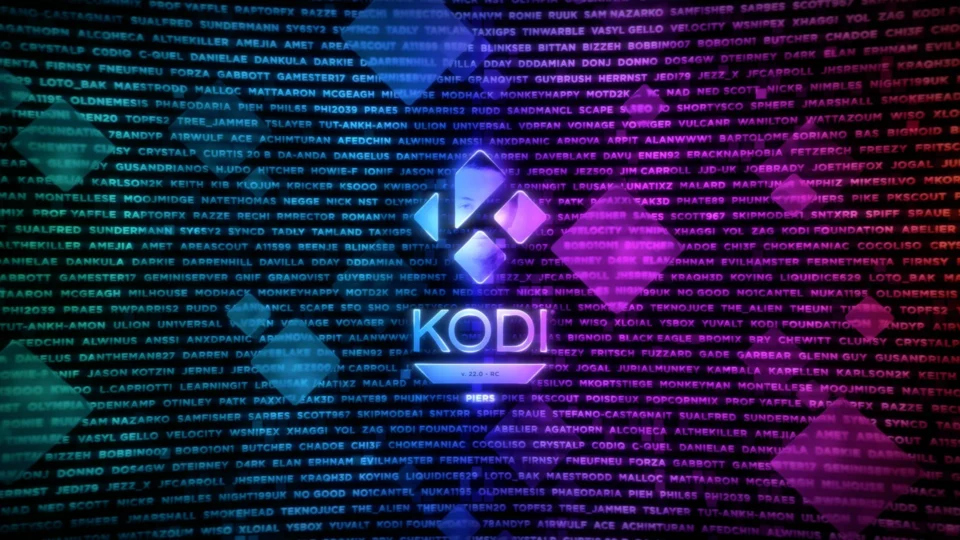
Kodi 22 RC1 features move the “Piers” release closer to a stable build after more than two years of work since Kodi 21 Omega. Team Kodi published the first release candidate on October 10 and describes it as functionally complete, but not free of bugs. Enthusiasts can test the new version now, while a living-room system used every day should either wait for the stable release or be backed up carefully before upgrading.
The release spans video playback, HDR, Blu-ray libraries, RetroPlayer, Android, webOS, Windows, Linux and Apple platforms. RC1 also collects a large number of fixes made after the beta releases. It is important to distinguish features developed across the entire Kodi 22 cycle from the smaller set of corrections added specifically after Beta 2.
Kodi 22 RC1 features for video and HDR
The official Kodi 22 Piers RC1 announcement confirms a move to FFmpeg 9.0.2, better handling of unusual frame rates, more reliable opening of problematic files and fixes for high CPU use when a source stops supplying audio or video data. These are broad engine changes, although the practical result still depends on the operating system, decoder and graphics driver.
HDR work includes support for HDR overlay elements, UHD PGS subtitles and more accurate color mapping. Windows receives HDR-to-SDR tone mapping for PGS subtitles, while several GLES display problems are addressed. A known Linux issue remains: menus or on-screen controls during HDR playback may appear overly transparent, washed out or blurred.
Blu-ray libraries become more dependable
Piers improves the identification of films and episodes on Blu-ray discs, playlist matching, library behavior and disc navigation. RC1 fixes freezes during optical-media checks, incorrect disc selection from a context menu and Windows startup problems when a DVD is already inserted.
For users with large local collections, metadata and movie-version changes may matter more than visual additions. Before upgrading, export the library, back up the user profile and check whether essential add-ons support the Python and API versions used by Kodi 22.

RetroPlayer receives a substantial upgrade
RetroPlayer now includes a cheat engine, expanded RetroAchievements support with leaderboards and Encore mode, new scaling options, improved multidisc handling and hardware rendering for Game API 8.2.0 clients. The project also lists fixes for stuttering, an incorrect rewind-buffer size and several DirectX, GLSL and GLES shader problems.
This does not make Kodi a universal replacement for every dedicated emulator. Compatibility depends on game add-ons, BIOS files, controllers and legally obtained content. Users should preserve save states and test a copy of their profile first, especially when they rely on multiple platforms or custom shader setups.
Android deep links and platform changes
Android apps, websites and automation tools can now use deep links to open specific content or areas of Kodi. RC1 fixes repeated handling of an old VIEW intent after a process restart and an unexpected exit caused by Android’s predictive-back gesture. webOS switches to PulseAudio, while macOS gains supported JIT execution.
Windows receives better Xbox controller discovery, response and optical-drive handling. Linux fixes cover Wayland display names, window geometry, ALSA recovery and temperature detection on additional system-on-chip devices. Benefits and remaining problems therefore differ across platforms.
Security changes and known limitations
Network-related work includes a path traversal fix in the UPnP file server, removal of older finite-field Diffie-Hellman ciphers and protection against TLS content appearing in Curl debug logs. These changes matter for devices with network services enabled. Users should restrict access to the local network and avoid exposing Kodi’s web interface directly to the internet.
Another known limitation affects Matroska tags when a package is not built with Kodi’s patched TagLib 2.3.1. The Linux HDR interface problem also remains open. Team Kodi explicitly recommends making a backup before installing RC1 and asks testers to submit reproducible feedback.
How to test RC1 safely
- Back up the Kodi profile, library database, sources and add-on settings.
- Prefer a test device over the main family media center.
- Download the package only from Kodi’s official Prerelease section.
- Test HDR, subtitles, audio, remote controls and the network sources you actually use.
- If something fails, preserve the log and report the platform and exact reproduction steps.
For another look at media tools and responsible offline workflows, see our guide to safe and legal YouTube download methods. Kodi has a broader focus on libraries, television interfaces, network sources, add-ons and retro gaming, so the right tool depends on the task.
Overall, the Kodi 22 RC1 features show that Piers is more than a cosmetic update. FFmpeg 9, HDR, Blu-ray, RetroPlayer and platform-specific fixes add real value, but the RC1 label remains a warning: test it in a controlled setup, keep a backup and do not assume every hardware and add-on combination is already trouble-free.