A passkey replaces a traditional password with a cryptographic credential stored on a phone, computer or hardware security key. Instead of remembering and typing a secret, you approve the sign-in with the same fingerprint, face scan, PIN or pattern used to unlock your device. The key security difference is that a reusable secret is not sent to the website.
What is a passkey and how does it work?
Creating a passkey generates a cryptographic key pair. The service receives the public key, while the private key stays with your passkey provider, such as the credential manager built into an operating system or a hardware security key. During sign-in, the service sends a unique challenge and your device signs it with the private key only after you complete a local identity check.
Your biometric data is not sent to the website. According to the FIDO Alliance, fingerprint or face processing remains on the device and the remote service receives only confirmation that the local verification succeeded. The same approach can work across platforms because passkeys rely on the FIDO2, WebAuthn and CTAP standards.
Why is a passkey resistant to phishing?
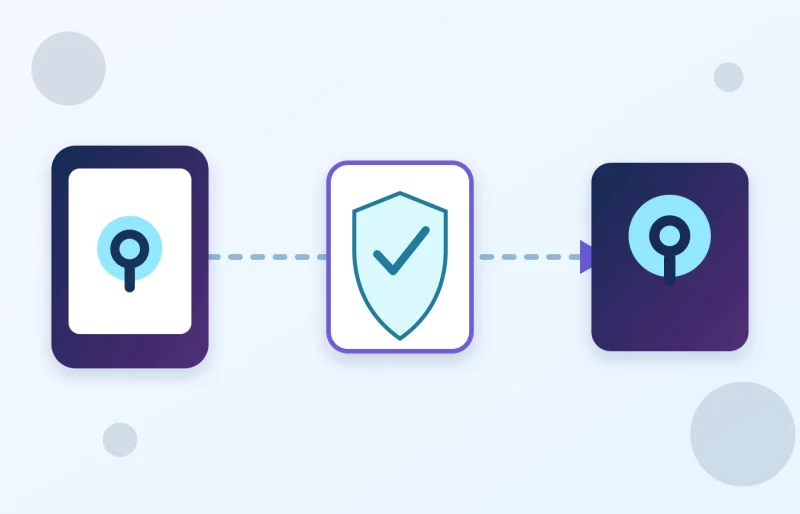
A user can accidentally type a password into a convincing copy of a legitimate website. A passkey, by contrast, is bound to the domain for which it was created. A fake page on a different domain cannot request a valid signature for the real service. Even if an attacker persuades someone to visit a polished phishing site, there is no reusable password or one-time code for that page to capture.
Passkeys also remove password reuse. Every service receives a separate key pair, so a breach at one website does not expose a secret that can be tried elsewhere. FIDO describes the technology as a way to reduce phishing, credential stuffing and other remote account-takeover attacks.
| Method | What the user enters | Phishing exposure |
|---|---|---|
| Password | A memorized secret | High if it is entered on a fake site |
| Password + SMS code | Password and one-time code | The code can still be intercepted or relayed |
| Passkey | Nothing; approval stays on the device | Much lower because the credential is domain-bound |
How to set up a passkey safely
- Open the account security settings from the official app or by typing the service address yourself. Do not start from a link in an unexpected message.
- Look for Passkey, Security key or Passwordless sign-in, then choose the option to add a credential.
- Approve the setup with your device-unlock method. The service does not receive your fingerprint, face data or PIN.
- Review the recovery methods that remain active. A weak fallback can undermine some of the protection provided by a stronger sign-in method.
- Add a second trusted device or hardware security key for an important account, and store recovery codes away from the device you use every day.
Exact menu names vary by service and operating-system version. Google’s passkey documentation explains that a sign-in can be completed on the current device or approved using another nearby device. Always read the account and service name shown in the system confirmation dialog before approving a request.
Don’t miss this

Synced and device-bound passkeys
Synced passkeys can become available across multiple devices through the same credential provider, protected by that provider’s account security. Device-bound passkeys remain on a specific phone, computer or physical security key. The synced model is more convenient for many people, while device-bound credentials can be useful when an organization needs stricter control over approved hardware.
A passkey does not remove every account-security risk. An unlocked or compromised device, weak account recovery and social engineering can still cause harm. Remove old devices from your accounts, enable alerts for new sign-ins and review active sessions regularly. You can find more practical technology coverage on the English edition of SajberSfera.
Should you switch to passkeys now?
If a service supports passkeys and you have a trusted device running a current operating system, switching generally provides a simpler and more phishing-resistant sign-in. However, do not remove an existing fallback until you have tested access from another device and safely stored your recovery information. The strongest setup combines passkeys with a well-protected primary platform account and regular reviews of connected devices.