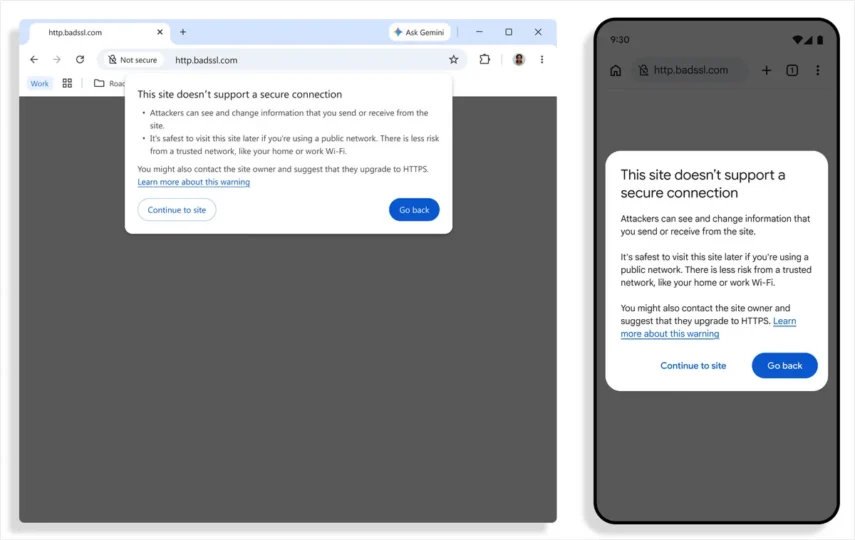
Chrome HTTP warning screens now appear for all users before the browser opens an insecure connection. Instead of relying on a small “Not secure” label that many people overlook, Chrome interrupts the visit and asks whether the user really wants to continue.
The change should not turn ordinary browsing into a parade of red screens. Google estimates that 95% of users will not see the warning during a typical week because the overwhelming majority of modern web connections already use HTTPS. When the screen does appear, however, it is worth pausing before entering a password, payment card or personal information.
Why the old label was not enough
HTTP sends traffic without the protection of an encrypted HTTPS connection. That does not automatically make every old HTTP website malicious, but it gives anyone positioned between the user and the site a better opportunity to read or alter the traffic. A public Wi-Fi network makes the problem easy to picture: an attacker may not need to compromise the website if the unprotected connection can be intercepted.
The previous address-bar label appeared only after the connection had already started. The new warning acts before that moment. It is the difference between a “wet floor” sign placed behind the door and someone stopping you before you take the first step.
How the Chrome HTTP warning works
Chrome first tries the secure HTTPS version of an address. If the site cannot use HTTPS, the browser shows a full-page warning and offers a safe way back or a deliberate option to continue. Once a user approves a specific HTTP site, Chrome does not ask again on every visit. The warning returns after that site has not been visited for at least two weeks.
Local addresses and private networks need special treatment because routers, printers and older home devices often expose an HTTP administration page. The practical rule remains the same: do not enter sensitive information unless you know exactly which device or service owns the page.
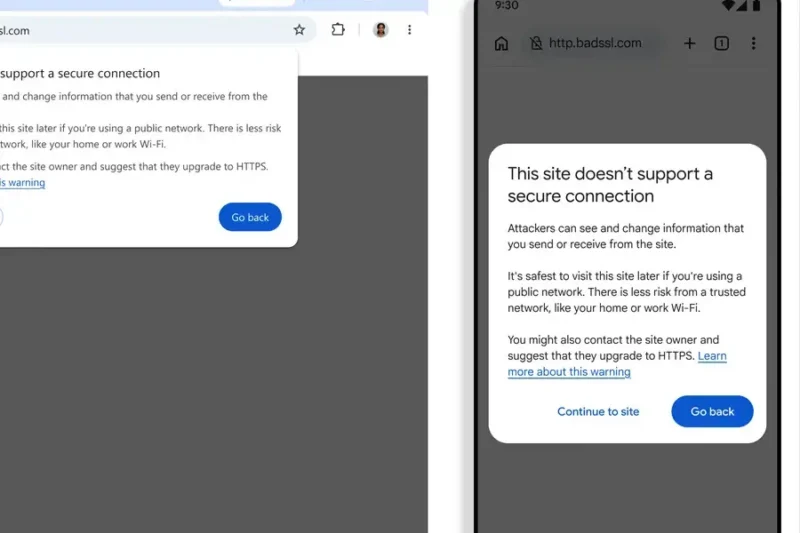
What to do when the screen appears
- Check that the address is correct and look for an HTTPS version.
- Do not submit a password, payment card or personal details over HTTP.
- For a router or local device, compare the address with its manual.
- On public Wi-Fi, wait for a trusted network or use mobile data.
The warning is not a verdict that a site is a scam. It says the browser cannot protect this connection in the normal way. Reading an old public forum is not the same risk as signing in to a bank, email account or store.
Redirects and website owners matter too
The change also covers short redirects. Previously, an HTTP page could redirect to HTTPS so quickly that the address-bar label was barely visible, even though the first request had already travelled without protection. The interstitial blocks that first step, which makes this more than a cosmetic redesign.
Small website owners do not need an expensive certificate. Free certificates and automatic renewal are standard at most serious hosting providers. A site that still works only over HTTP usually has an old configuration, outdated software or a forgotten internal address rather than an unavoidable cost problem.
Can the warning be disabled?
The behavior is tied to Chrome’s secure-connection settings, but switching the protection off completely should not be the first response. Approve an individual site only when you understand why it is using HTTP. Administrators of legacy systems should treat the new behavior as a reason to move to HTTPS, not as a reason to teach users to dismiss warnings.
Google’s official security post explains that the feature first reached Enhanced Protection users and is now enabled by default for everyone. For related browser-security coverage, visit SajberSfera’s English technology section.
One final distinction is important: HTTPS protects the connection to a domain, but it does not prove that the content is honest. A phishing website can have a valid certificate. Always check the spelling of the domain and why the page wants your data.
The practical conclusion is simple. When a Chrome HTTP warning appears, do not continue out of habit. Check the address, consider what the page is requesting and proceed only when you understand the risk. Ten extra seconds are a small price for avoiding a stolen password.