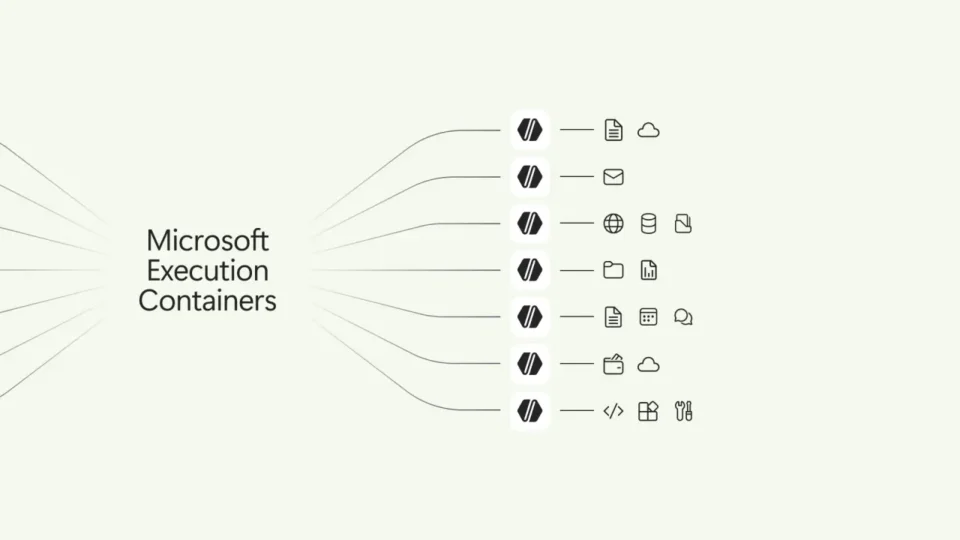
Microsoft Execution Containers security is Microsoft’s new policy-driven approach for limiting what AI agents can access and execute on Windows. The company says administrators define the boundaries while Windows enforces them locally, including when an agent relies on a model in the cloud.
The announcement matters because agentic software does more than generate text. An agent may open files, invoke tools, modify settings, or chain several actions together. Those capabilities can save time, but they also enlarge the damage that can follow from an excessive permission, a malicious instruction, a compromised account, or a simple configuration mistake.
How Microsoft Execution Containers security works
Microsoft describes Execution Containers as a controlled runtime governed by policy. Instead of granting an agent broad access to the host system, an organization can define the files, tools, network resources, and actions that are permitted for a specific task. Windows then keeps the workload inside those limits for the duration of the operation.
This model is useful because a one-time consent prompt does not necessarily protect the rest of a long automated workflow. A container can preserve the approved boundary after the first step and reduce the chance that a later prompt, plugin, or downloaded file expands the agent’s reach without review. Microsoft also presented the feature as part of a wider Windows strategy for hybrid intelligence, where local models and cloud services can be routed according to capability, cost, and policy.
The company named NVIDIA, Anthropic, and OpenAI among the organizations supporting the broader direction. That endorsement does not by itself prove interoperability across every product. Administrators should still verify the exact Windows build, management tools, agent framework, and licensing requirements before treating the feature as production-ready.
What administrators should verify first
Start with a narrow pilot. Use a non-production device, a test account, and data that can be restored without operational impact. Document the allowed folders, commands, network destinations, and credentials before the agent is enabled. The policy should follow least-privilege principles and should be easy to disable if logs show unexpected behavior.
Don’t miss this

Monitoring remains essential. A container can reduce exposure, but it is not an antivirus product and it cannot repair a stolen identity, an unsafe policy, or a vulnerable host. Organizations still need supported software, multifactor authentication, endpoint protection, reliable backups, and an incident-response process. Event collection is especially useful for comparing the agent’s requested action with what the container actually allowed or blocked.
Teams evaluating the feature should also separate availability from announcement language. Microsoft’s newsroom describes the direction and the products shown at its October event, but regional rollout, preview status, supported hardware, and management interfaces can change. The official documentation should be checked again immediately before deployment.
Why containment does not remove human oversight
A well-scoped container limits consequences; it does not decide whether the underlying business instruction is correct. Human approval is still appropriate for destructive changes, payments, access to regulated information, credential use, and actions that affect customers. The safest workflow combines technical isolation with a clear owner, auditable approval, and a rollback plan.
For related operational context, see our administrator checklist for Progress security patches. Although the products differ, the same discipline applies: identify affected systems, test in a controlled environment, preserve recovery options, and record what changed.
Microsoft Execution Containers security therefore looks promising as a guardrail for Windows agents, particularly when tasks involve files and local tools. Its real value will depend on policy quality, transparent logging, compatibility, and disciplined rollout. The primary details were checked against Microsoft’s official Windows and Surface newsroom on October 8, 2026.
Policies should be separated by workload. A research agent that reads public documents does not need the same permissions as an engineering agent that runs code. Reusing one broad policy across unrelated tasks creates unnecessary exposure. Organizations should maintain versioned policy templates, review exceptions regularly, and expire temporary access after a project ends.
Don’t miss this


Testing should include failure cases, not only successful demonstrations. Try blocked file paths, unavailable network destinations, malformed instructions, and revoked credentials. Confirm that the agent stops safely, that administrators receive useful logs, and that no partial change remains after a denied action. A recovery exercise is more informative than a polished demo.