
Progress security patches for Fiddler Sitefinity should be reviewed promptly by organizations using Telerik Fiddler Classic or the @progress/sitefinity-nextjs-sdk package. The Canadian Centre for Cyber Security published advisory AV26-999 on October 5 and identified two version boundaries: Fiddler Classic releases before 6.0.20262.10021 and Sitefinity Next.js SDK releases before 15.4.8638.
The advisory does not say that every installation has been compromised. It says publicly documented vulnerabilities affect the listed products and that users and administrators should review the vendor information and apply necessary updates. The safest response is to identify every installation, verify its real version, update through supported channels and document testing.
Which Progress security patches for Fiddler Sitefinity matter
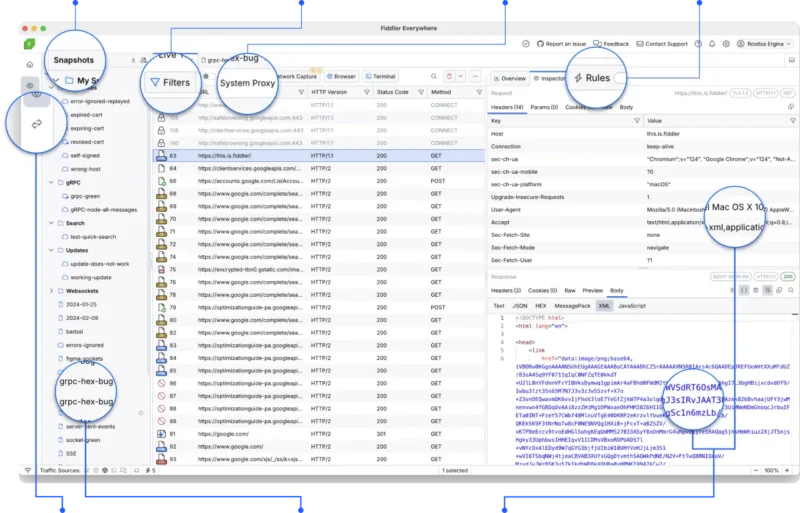
For Telerik Fiddler Classic, the advisory’s threshold is version 6.0.20262.10021. Earlier versions are connected to a weak executable-signature verification vulnerability tracked as CVE-2026-77805. Fiddler is used to inspect and troubleshoot HTTP and HTTPS traffic, which means it may run on developer, support or administrative workstations with access to sensitive environments.
The second product is @progress/sitefinity-nextjs-sdk. The Cyber Centre lists versions before 15.4.8638 in connection with Progress guidance covering Next.js security issues from September 2026. Administrators must inspect the version actually locked and deployed in the project, not only the desired range written in package.json.
Why accurate asset inventory comes first
Fiddler Classic may be installed locally on computers owned by developers, QA teams and technical support. A server inventory alone may therefore miss affected copies. The Sitefinity SDK can exist across repositories, long-lived branches, CI/CD caches, container images and production artifacts. Each location needs evidence, not an assumption based on a central record.
Start with an owner and location list. Record the installed version, installation channel and business purpose. For an npm project, check the lock file and package-manager output. For the desktop application, use the version reported by the software or the signed installer. A shortcut name or directory date is not reliable proof.
Don’t miss this


A safe update sequence
Back up configuration, extension lists and relevant proxy-certificate information before making changes, but do not copy private keys to an unprotected location. Download installers and packages only from official Progress or Telerik sources. Verify the publisher signature where available, then update a test system and repeat the workflows the team actually uses.
For a Sitefinity project, run automated tests, perform a clean build and confirm that the locked SDK version is no longer below 15.4.8638. Changing only the declared dependency without refreshing the lock file and deployed artifact is not a completed patch. After production rollout, record the build identifier and deployment time.
What to verify after deployment
Open Fiddler Classic and confirm its version. Test traffic capture, rules, extensions and local certificates according to the organization’s normal policy. If the tool is no longer needed, a controlled removal may reduce attack surface, but that decision should be documented rather than carried out as an improvised response.
For the Sitefinity application, verify startup, authentication, key routes and server logs. Look for evidence that an old container or cached build remains active. In a multi-instance deployment, every instance should report the expected build. Monitoring only one healthy node can leave another unpatched.
Temporary controls do not replace the patch
Restricting administrative access, separating development workstations and monitoring processes can reduce exposure while the update is tested. These controls do not replace vendor-supported remediation. A network rule designed without the vendor’s evidence should not be presented as a universal defense for a version-specific vulnerability.
The same operational principle appears in our report on PeopleSoft attacks returning despite mitigations: compensating controls may buy time, but they do not remove vulnerable code. Patch, verify the deployed state and investigate whether there is evidence of earlier exploitation.
Don’t miss this


How to document completion
For every device or project, record the old and new versions, the operator, test results and package source. If the product is not present, preserve the method used to confirm that result. This is more useful than a short “updated” note because it supports later audits and prevents an overlooked copy from remaining vulnerable.
The AV26-999 advisory is brief but precise about affected products and minimum versions. Progress security patches for Fiddler Sitefinity should therefore be treated as an inventory and operations task: find every copy, update using official packages, test it and close the item only with evidence.
Bottom line
Fiddler Classic should be at least 6.0.20262.10021, while @progress/sitefinity-nextjs-sdk should be at least 15.4.8638. Organizations that cannot update immediately should document temporary risk reduction, ownership and a deadline, while keeping the vendor update as the required final remediation.