Android 17 network security introduces four changes designed to expose less connection data, make traffic interception harder, and reduce abuse of legacy 2G networks. These protections do not form a single antivirus switch. They work at different layers: during the start of an HTTPS connection, when an app reaches devices on the local network, when Android validates website certificates, and when a phone connects to a cellular network.
Android 17 network security and Encrypted Client Hello
HTTPS already protects the content exchanged between a phone and a website, but the opening stage of a connection can reveal the domain being visited. Encrypted Client Hello, or ECH, encrypts that part of the negotiation when the phone, app, DNS service and destination server support it. Google says Android 17 brings broad ECH support together with private DNS.
ECH does not make a user anonymous. A network provider can still observe IP addresses, timing and traffic volume, while a service knows which signed-in account is using it. ECH closes one important metadata leak rather than replacing a VPN or every other privacy control. Users should keep Android and apps updated instead of installing unknown utilities that claim to “enable” unsupported protection.
Apps must request local network access
A phone often shares Wi-Fi with a television, computer, NAS, camera, printer and game console. Discovering those devices is useful for casting and remote-control apps, but unrestricted scanning can also reveal a detailed picture of a household. Android 17 enforces Local Network Protection, requiring an app to request permission before scanning for or directly connecting to other devices on the same network.
When the prompt appears, consider whether local access is central to the app. A smart-TV remote may need it; a calculator or simple game almost certainly does not. Denying the permission can stop casting or automatic discovery, but the decision can be changed later. The principle is the same as with camera or microphone access: grant the smallest permission needed for the feature you deliberately use.
Certificate Transparency makes rogue certificates visible
Before creating a secure connection, a phone checks the site’s digital certificate. A serious risk appears when a compromised or careless certificate authority issues one to the wrong party. Certificate Transparency requires publicly trusted certificates to be recorded in verifiable logs. Android 17 enables this check by default, making suspicious issuance much harder to hide.
Don’t miss this


Certificate Transparency cannot fix a fake address that a user voluntarily opens. A lookalike domain can have a technically valid certificate of its own. Browser warnings should never be bypassed, but a padlock icon is not proof that a store, bank or message is legitimate. Check the full domain before signing in or paying, especially after following an unexpected message.
Default 2G blocking targets SMS blasters
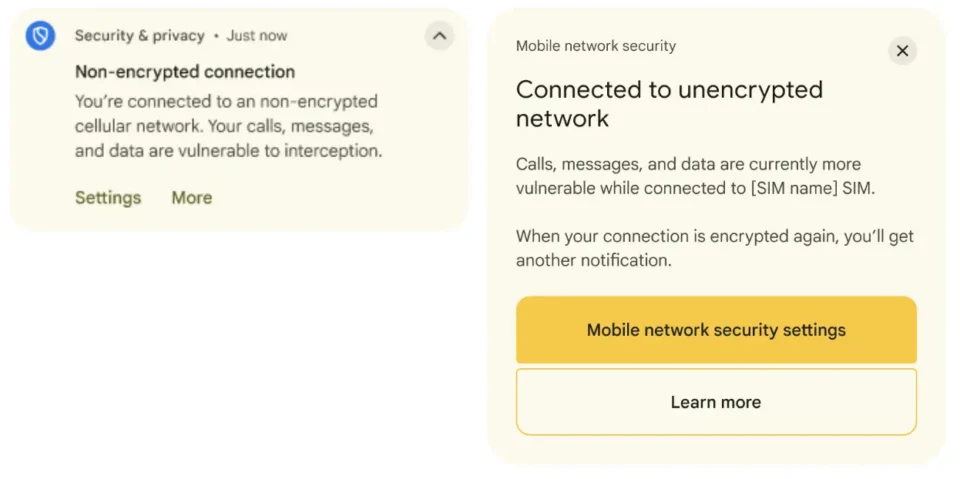
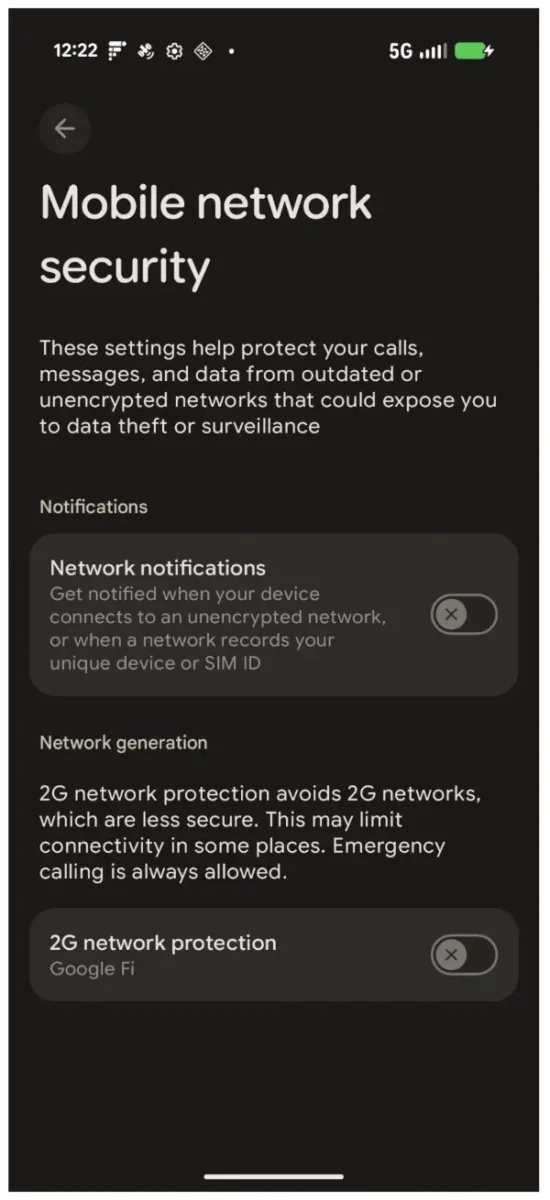
Fake base stations and so-called SMS blasters try to force nearby phones away from LTE or 5G and onto the less secure 2G standard. If that downgrade succeeds, attackers may deliver convincing phishing messages while bypassing some modern network filtering. Supported Android phones have offered a manual 2G switch since Android 12. Android 17 adds a mechanism that lets participating carriers disable 2G by default for their subscribers.
Availability depends on the modem, phone maker, carrier and country. Disabling 2G can reduce coverage where newer networks are unavailable, while emergency calling follows separate requirements. Menu names also differ between manufacturers. A missing switch therefore does not prove that the phone is infected or incorrectly configured.
A practical Android 17 checklist
- Install Android and Google Play system updates when they become available for your device.
- Allow local network access only for apps that genuinely control or communicate with nearby devices.
- Never ignore certificate warnings, and verify a domain before entering credentials.
- Check whether your phone offers a 2G control, while understanding the possible coverage trade-off.
- Avoid paid apps that promise to unlock security features unsupported by the device or carrier.
The practical theme is reduced implicit trust. Apps must explain why they need to see the local network, certificates leave an auditable record, and cellular connections gain another defense against downgrade attacks. Benefits will arrive gradually because apps, servers and carriers all need compatible implementations. For account protection at another layer, our passkey guide explains how domain-bound credentials reduce phishing exposure without sending a reusable password.