
Keyboard Symbols: How to Type Every Special Character (Full Guide for Windows and Mac)
Have you ever struggled to find the “@” symbol on a different keyboard layout, or wondered how to type the Euro (€) sign quickly? Understanding keyboard symbols and special characters is essential for speed and productivity.
In this comprehensive guide, we will show you how to type any symbol using standard keys, Alt codes, and hidden shortcuts.
1. The Most Common Symbols (Quick Reference)
For most users, these are the daily essentials. Here is how to find them on a standard QWERTY layout:
- @ (At symbol):
Shift + 2 - # (Hashtag):
Shift + 3 - $ (Dollar):
Shift + 4 - % (Percent):
Shift + 5 - & (Ampersand):
Shift + 7 - ? (Question Mark):
Shift + /
2. How to Type Symbols Using Alt Codes (Windows)
If a symbol isn’t visible on your keycaps, you can use Alt Codes. To use these, hold down the Alt key and type the numbers on your Numeric Keypad (ensure Num Lock is on).
Don’t miss this
| Symbol | Name | Alt Code |
| © | Copyright | Alt + 0169 |
| ® | Registered | Alt + 0174 |
| ™ | Trademark | Alt + 0153 |
| € | Euro | Alt + 0128 |
| ° | Degree | Alt + 0176 |
| ± | Plus/Minus | Alt + 0177 |
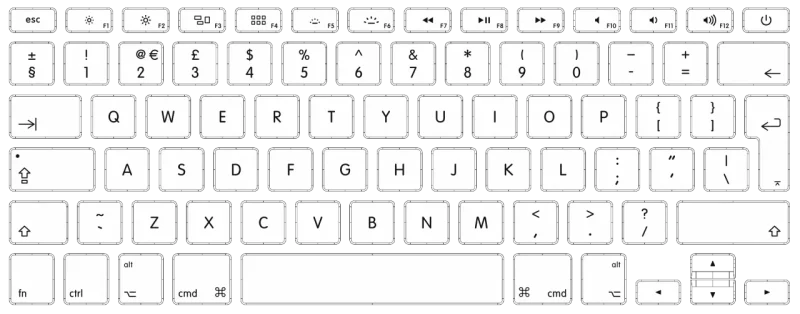
3. Special Characters on Mac (macOS Shortcuts)
Mac users have it a bit easier with the Option (⌥) key.
- © (Copyright):
Option + G - ® (Registered):
Option + R - ™ (Trademark):
Option + 2 - € (Euro):
Option + Shift + 2 - … (Ellipsis):
Option + ;
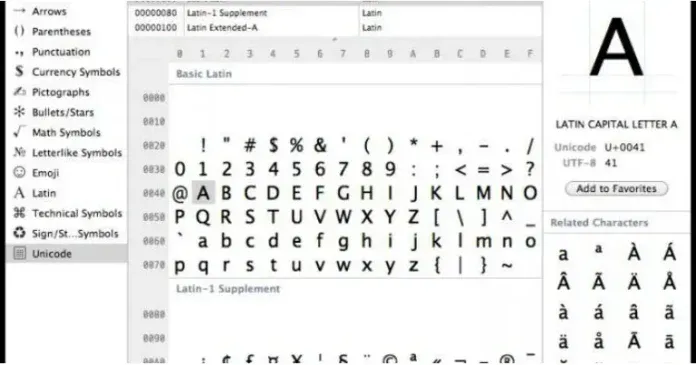
4. How to Find Hidden Symbols (Character Map)
If you can’t remember a code, both Windows and Mac have built-in tools to help you:
- Windows: Press
Win + .(Windows key and Period) to open the Emoji and Symbol picker. - Mac: Press
Cmd + Control + Spaceto bring up the Character Viewer.
5. Dealing with Different Keyboard Layouts
If your symbols aren’t where they should be, your computer might be set to the wrong language (e.g., US vs. UK vs. Serbian).
- Pro Tip: Press
Alt + Shifton Windows to quickly cycle through your installed keyboard languages.
Sajber Sfera Recommendation:
For programmers and tech enthusiasts, we recommend learning the US International layout. It allows you to type accents and international symbols much faster than standard localized layouts.