


Changing Your Gmail Address: Google Finally Permits Primary Email Change
Google Finally Lets You Change Your Gmail Address Without Creating a New Account
We all have that one friend (or maybe it’s us) who is still stuck using an email address like brian_thebeast_1987@gmail.com or hotchick_next_door95@gmail.com. Created during moments of teenage boredom or early internet excitement, these addresses have been a digital burden for years – one we couldn’t get rid of unless we were willing to go through the painful process of creating a brand-new account and manually transferring thousands of emails, subscriptions, and contacts.
Fortunately, in 2026, Google has finally listened to the pleas of millions of users. Changing your primary Gmail address is no longer science fiction.
A Digital Identity That Grows With You
For years, Google’s policy was strict: your user identity was permanently tied to the very first address you chose. If you wanted a more professional look for work or more serious communication, you had to start from scratch. The new feature, which is being gradually rolled out to users around the world (starting with the US), changes this rule from the ground up.
Now, inside your Google Account settings, an option appears that lets you choose a completely new @gmail.com address. What’s most important – your entire account stays the same. That means all your Google Photos memories, Drive documents, YouTube subscriptions, and purchase history on the Play Store remain untouched.
How Does the System Actually Work?
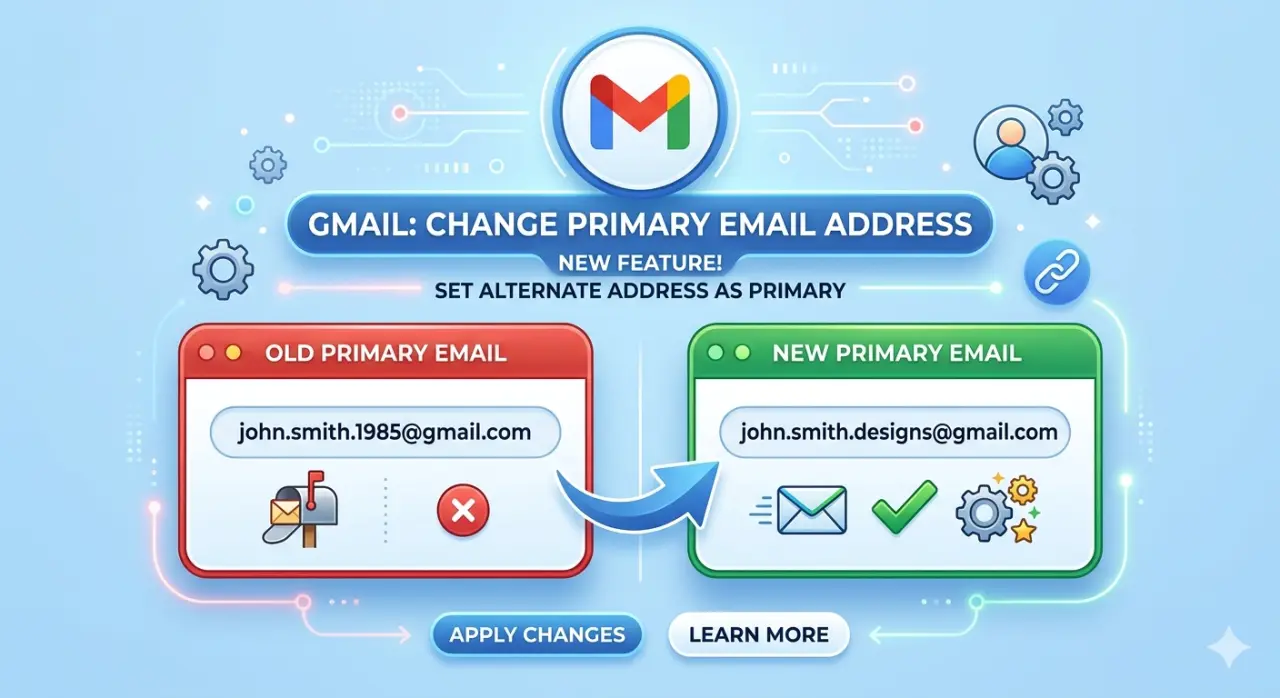
It’s not simply deleting the old address and writing a new one. Google has designed this process very smartly to prevent any loss of communication:
Primary and Alternate Address: When you change the address, your new one becomes the “primary.” However, your old address doesn’t disappear into digital oblivion. It automatically becomes an alternate (alias) address linked to the same account.
Sign-in: You can still log into your account using either of the two addresses.
Don’t miss this


Message Delivery: Emails sent to your old address will continue to arrive in your inbox. This is crucial because you don’t have to immediately notify every bank, store, or service about the change – you have time for a smooth transition.
Step-by-Step: How to Change Your Gmail Address
The process is straightforward for accounts where the feature has rolled out. Here’s exactly what to do (works best on a computer, but you can also do it on mobile):
- Visit your Google Account settings Go to myaccount.google.com/google-account-email in your browser and sign in with the account you want to update.
- Go to Personal info Click on Personal info in the left sidebar (or at the top on mobile).
- Find the Email section Scroll to Contact info and click on Email, then select Google Account email.
- Start the change If the feature is available for your account, you’ll see the option Change Google Account email or Change your Google Account email address. Click it.
- Choose your new address Enter the desired new username (the part before @gmail.com). Google will check availability instantly. Pick something professional and memorable that isn’t already taken.
- Review and confirm Carefully read the summary: your new address will become primary, the old one will turn into an alias, and all your data stays safe. Confirm the change. You may need to verify with a code sent to your current email or phone.
- Finish up Once confirmed, your new primary Gmail address is active. Update your profile if needed, and start gradually informing important contacts and services.
On mobile (Android or iOS): Open the Gmail app (or any Google app), tap your profile picture in the top right, select Manage your Google Account, then follow the same path: Personal info → Email → Google Account email → Change.
The “Catch” You Need to Pay Attention To
Although this is a huge relief, Google has introduced certain safeguards to prevent abuse of the system:
12-Month Rule: Once you change your address, you’re “locked” into it for the next 12 months. You can’t change your mind every week. Think carefully before you hit Confirm.
No Independent Deletion of the New Address: Once you set a new primary address, you cannot delete it separately from the account.
Gradual Rollout: As with all major Google updates, the feature isn’t reaching everyone on the same day. If you still don’t see it in your settings, be patient – the rollout is ongoing (currently widely available in the US, with more regions expected to follow).
Don’t miss this

Why Is This Important for Your Digital Security?
From the perspective of expertise and authority, having a professional email address is the first step toward a serious online presence. You no longer have to explain to clients why your email looks “unserious.” Additionally, this significantly reduces the risk of mistakes during data migration, which used to be the main cause of losing access to important accounts.
This is a small step for Google, but a giant one for the millions of people who have waited a long time for a “fresh start” without digital headaches.
Frequently Asked Questions (FAQ)
Will I lose my contacts if I change my Gmail address?
No. All your contacts, as well as all content on Google Drive and Photos, remain connected to your single Google Account. Only the “label” (email) through which people write to you is changing.
What happens if someone sends an email to my old address?
The email will arrive neatly in your inbox. Your old address becomes an alias (alternate address) that remains active and linked to your account.
Can I go back to my old address if I don’t like the new one?
You can switch back to your old address at any time, but keep in mind that you won’t be able to make another change for the next 12 months.
Is this option available for Google Workspace (business) accounts?
This announcement primarily applies to personal @gmail.com accounts. Business users usually have different methods for changing usernames through the admin console.


