


Best YouTube Downloaders (Safe & Legal Methods) – 2026 Guide
If you’ve ever tried downloading videos or music from YouTube, you’ve probably noticed one thing: most guides either recommend sketchy tools or completely ignore how audio quality actually works.
The reality is simple—not all YouTube downloaders are equal. Some tools re-encode audio and degrade quality, others preserve the original stream, and a few offer proper control over formats like MP4, MP3, or AAC.
In this guide, you’ll find:
- the most reliable YouTube downloaders in 2026
- real differences in audio quality and bitrate
- and the safest ways to download content without risking malware or broken files
Whether you want high-quality audio for offline listening or full-resolution video downloads, this guide focuses on what actually works in practice—not just theory.
⚠️ Is Downloading from YouTube Legal?
Before using any downloader, it’s important to understand:
- Downloading copyrighted content without permission may violate YouTube’s terms
- You can legally download:
- Your own videos
- Royalty-free content
- Videos with permission from the creator
👉 Always use downloaders responsibly.
MOŽDA VAM SE SVIĐA


🥇 Best YouTube Downloaders (2026)
1. 4K Video Downloader
What it actually does well:
- Pulls the original video stream when available (not recompressed)
- Lets you extract audio directly in MP3, M4A, or OGG
- Handles entire playlists and channels reliably
Audio quality & bitrate:
- MP3: up to 320 kbps
- M4A (AAC): typically 128–256 kbps (closer to original YouTube audio)
- Better option: use M4A instead of MP3 for less quality loss
Pros:
- Very stable (rarely breaks when YouTube updates)
- Preserves original quality better than most tools
- Supports subtitles and metadata
Cons:
- Free version limits playlist downloads and you can download only 10 videos per day
- Slightly slower than web tools
- Interface is simple but not modern
- For some videos you must sign in with your YouTube account
👉 Verdict: Best choice if you care about quality and reliability, not just speed.
2. Y2Mate (Web-based)
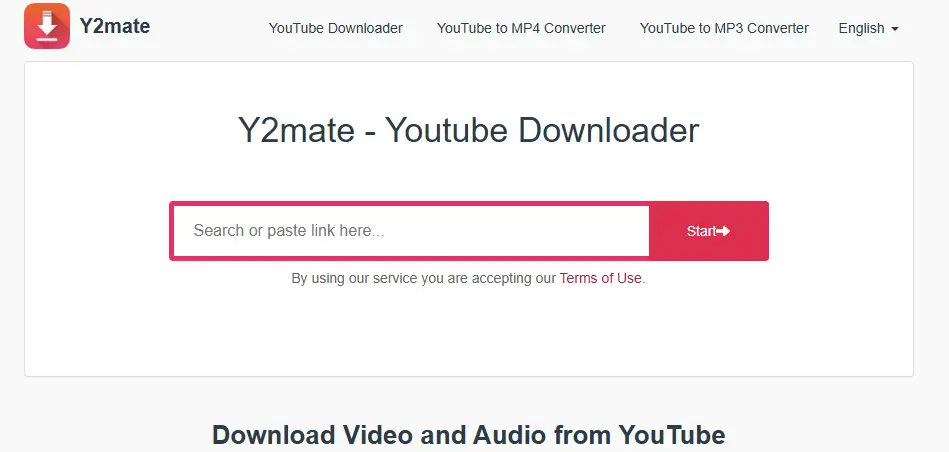
Best for: Quick one-off downloads without installing anything
What it actually does:
Audio quality & bitrate:
- MP3 usually capped at 128 kbps or 192 kbps
- Often re-encoded, meaning quality loss vs original
Pros:
- Extremely fast workflow (copy → paste → download)
- Works on any device (PC, phone)
Cons:
- Heavy ads and popups (risk of misclicks)
- Quality is inconsistent
- Some videos fail (especially longer or restricted ones)
👉 Verdict: Good for quick downloads, but not for quality or long-term use.
3. SnapDownloader
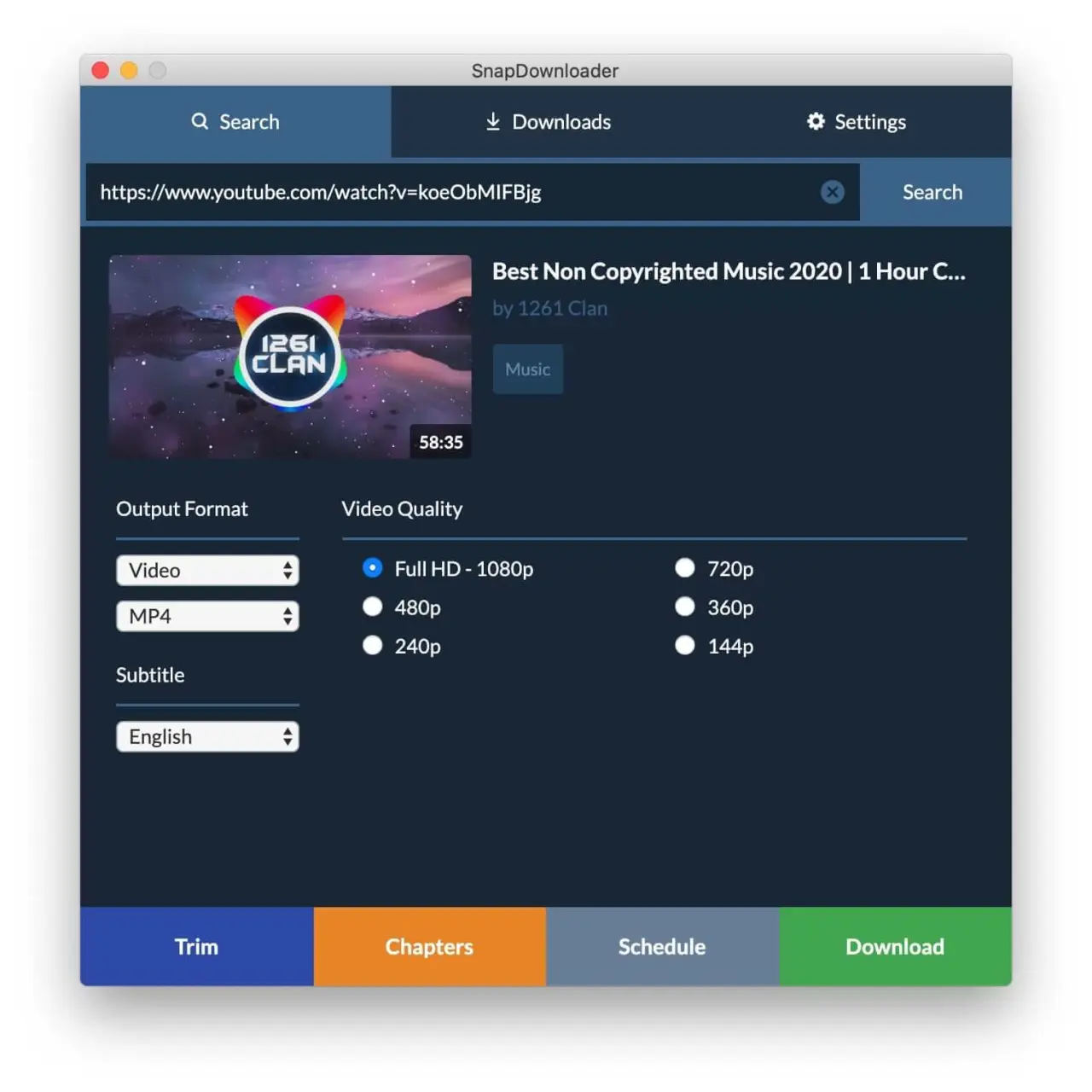
Best for: Advanced users who want control over formats and quality
What it actually does:
- Supports multiple platforms (not just YouTube)
- Allows detailed control over:
- resolution
- format
- bitrate
Audio quality & bitrate:
- MP3 up to 320 kbps
- AAC (M4A) preserves near-original quality
- Can convert after download (useful but may reduce quality)
Pros:
- Very flexible (great for power users)
- Supports bulk downloads
- Clean UI compared to most tools
Cons:
- Paid software (trial is limited)
- Conversion step can be confusing for beginners
👉 Verdict: Best for users who want full control + higher quality output
4. ClipGrab
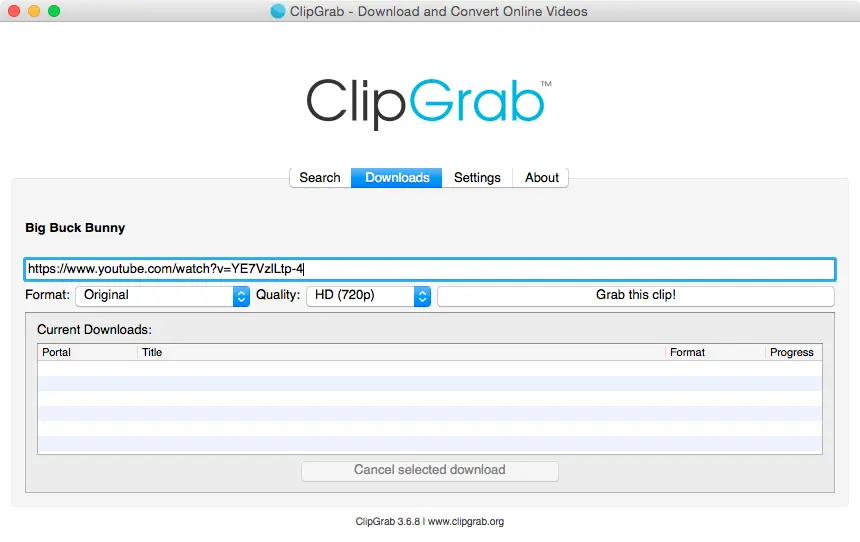
Best for: Free, lightweight usage
MOŽDA VAM SE SVIĐA

What it actually does:
- Basic downloading + built-in conversion
- Good for older systems or simple needs
Audio quality & bitrate:
- MP3 up to 320 kbps (but often re-encoded)
- No fine control over codecs
Pros:
- Completely free
- Very simple interface
- Works on low-end PCs
Cons:
- Slower than competitors
- Lower reliability with newer YouTube changes
- Limited format control
👉 Verdict: Solid basic tool, but not ideal for high-quality downloads.
🎵 Bitrate & Audio Quality Explained
What is bitrate?
Bitrate = how much audio data is stored per second
- 128 kbps → lower quality, smaller file
- 192 kbps → decent quality
- 256 kbps → very good
- 320 kbps → highest MP3 quality
Important: YouTube audio limitation
YouTube does NOT store audio at 320 kbps MP3.
Typical source audio:
- AAC (M4A) at 128–160 kbps
👉 This means:
Converting to 320 kbps MP3 does NOT increase quality
It only increases file size
Best practice (this is pro-level advice)
👉 Always choose:
- M4A (AAC) → best quality (original stream)
- Use MP3 only for compatibility
| Format | Quality | File Size | Recommendation |
|---|---|---|---|
| MP3 128 kbps | Low | Small | ❌ Avoid |
| MP3 320 kbps | Good | Large | ⚠️ OK |
| M4A (AAC) | Best | Medium | ✅ Recommended |
🔧 How to Download YouTube Videos (Step-by-Step)
Method 1: Using Desktop Software
- Copy the YouTube video URL
- Open your downloader (e.g., 4K Video Downloader)
- Click Paste Link
- Choose format (MP4, MP3)
- Select quality
- Click Download
Method 2: Using Online Tools
- Copy video URL
- Visit a downloader website
- Paste the link
- Select format
- Download file
🎵 How to Download YouTube Videos as MP3
Most tools allow you to extract audio:
- Choose MP3 format
- Select bitrate (128kbps / 320kbps)
- Download
👉 Ideal for:
- podcasts
- music
- lectures
🚫 Common Problems & Fixes
Download not working?
- Try a different tool if the one you installed/used seems stuck or does not respond at all
- Check if video is restricted or set to private (some videos are unlisted, private or restricted by the video uploader)
Low quality output?
- Choose higher resolution before downloading or switch the tool you are using
File won’t play?
- Use VLC or convert format of downloaded file
🔒 Safety Tips
To avoid malware or fake tools remember to practice this:
- Use trusted software only
- Avoid suspicious pop-ups
- Never install unknown extensions
- Avoid tools that force extra downloads
- If a site opens multiple tabs → close it immediately
- Stick to known tools with consistent updates like the ones recommended in this guide
🏁 Conclusion
There are many YouTube downloader tools available, but choosing the right one depends on your needs:
- For quality → 4K Video Downloader
- For speed → Y2Mate
- For advanced features → SnapDownloader
Always prioritize safety and legality, and you’ll have no issues downloading content for offline use.
🔎 FAQ
Can I download YouTube videos for free?
Yes, many tools offer free versions with basic features.
What is the best format to download?
MP4 → video
MP3 → audio
Is it safe to use YouTube downloaders?
Yes, if you use trusted tools and avoid suspicious sites.

