


Best Free YouTube Download Apps (2026): Top Tools for Video & Audio Downloads
If you regularly watch content on YouTube, chances are you’ve wanted to download videos for offline viewing—whether for travel, saving data, or archiving content.
While there are countless tools available, not all are safe, reliable, or worth your time. In this guide, we break down the best free YouTube downloader apps, their strengths, and what to watch out for.
Why Use a YouTube Downloader App?
Unlike browser-based tools, dedicated apps offer:
- Faster download speeds
- Better format control (MP4, MP3, MKV, etc.)
- Batch downloads (get entire playlists in one click)
- Higher video quality, including 4K
They’re the preferred option for anyone who downloads content regularly.
Best Free YouTube Downloader Apps
1. 4K Video Downloader
The most versatile and widely recommended tool.
Key features:
- Supports MP4, MP3, MKV, OGG
- Downloads subtitles (captions) if available
- Handles playlists and channels
- Supports 4K, 3D, and 360° video
- Supports from 24fps up to 12-fps videos
4K Video Downloader is the best free YouTube downloader for fast and easy YouTube downloads.
It’s easy to use, highly customizable, has some ads but they are not intrusive, and doesn’t include any additional bundled software. To capture a video (or an entire playlist, as long as it’s no longer than 24 videos), simply copy its URL from a web browser, click “Paste URL” and select the output format, quality, and location.
There is a wide variety of formats – both video and audio – including MP4 and MP3. You can download titles for individual videos, and there is support for 3D and 360-degree videos. Delving into the properties allows you to set options like download with multiple streams (increasing the number of streams will speed up the download, but increases the risk of YouTube blocking your IP address) and setting up a proxy connection.
👉 Best overall choice for most users.
2. WinX YouTube Downloader
Clear, powerful and well-designed – a close second
Works on Windows and macOS
Supports over 30 sites
Can download 4k video
Can download multiple clips at once
Does not support 360-degree video
Download link HERE!
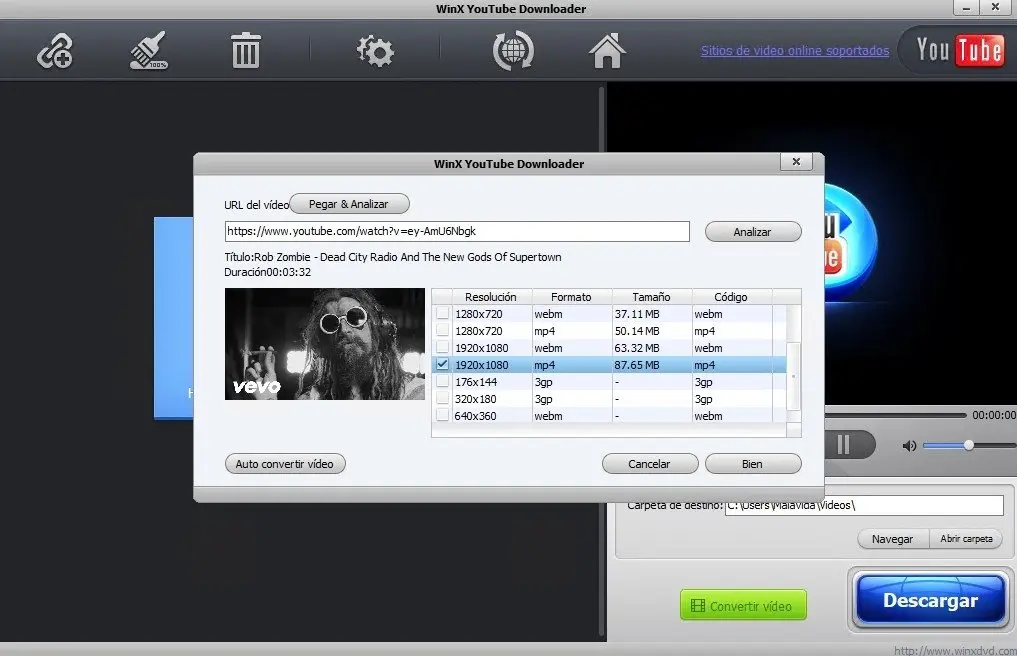
WinX YouTube Downloader can download videos from all the most popular sites, including Facebook, Vimeo and DailyMotion. It is very easy to use. Just paste the URL, choose the output format and quality settings and it will be added to the current batch.
Once you have added all the videos you want to download, simply click the “Download” button and they will all be processed at once and saved to the destination folder of your choice.
WinX YouTube Downloader can download 4K video if available, it only loses to 4K Video Downloader because it cannot download 3D and 360-degree video. If this is not a problem for you, this free YouTube downloader is recommended.
👉 Ideal for users downloading from multiple platforms.
3. Any Video Converter Free
Download and convert videos and add special effects
Works on Windows and macOS operating systems
It supports most video and audio formats
It has a built-in video editor which is great
It does not support downloading multiple clips at once
Comes with additional software
Download link HERE!
At first glance, Any Video Converter Free is one of the best free YouTube downloaders.
The only downside is that this free version limits you to downloading one video at a time, but if you’re looking for a free solution, this is something you might decide to go with.
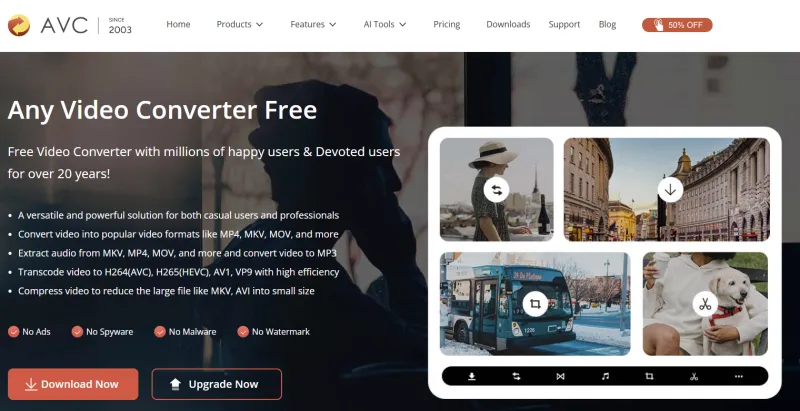
There are many video formats to choose from and there is even a basic video editor built into this YouTube downloader. This can be used to crop the video you are downloading, add simple effects such as color adjustment and add text overlays. The whole process is quick and easy. The interface of any video converter may not appeal to everyone, but it’s really funny; this is a fantastic free youtube downloader. Watch out for the ByteFence and Yahoo software packages during installation and you’re good to go.
4. Free YouTube Download
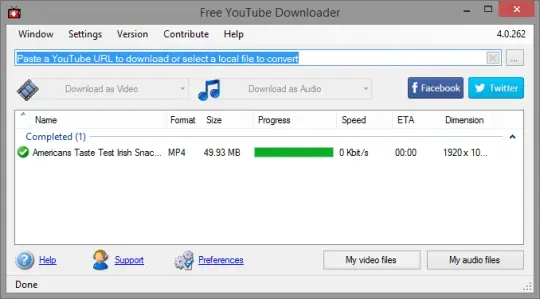
Download videos without clicking any button
Works on Windows and macOS operating systems
It supports auto download
It supports batch download
It can shut down the PC when it finishes downloading
It is limited, download clips up to 3 minutes in length
Download link HERE!
No prizes for guessing what the free YouTube download does. This is a very simple, narrowly focused free YouTube downloader that removes the clutter to get the job done right.
Paste a URL from YouTube and you can download a video in just a few clicks – or no clicks at all if you enable the Auto Download option.
You can download several videos at once if you need to, and you can convert them all to several different formats on the fly. Which formats are available to you will depend on the quality of the original video, but AVI, MP4, iPhone/iPod and MKV should be available in most cases.
It’s also possible to convert to audio-only MP3 if you don’t need the recordings either. There’s only one real drawback, but it’s a big one – you can only use YouTube’s Free Download to record clips that are less than three minutes long. That rules out most music videos to begin with, and that’s a real shame.
5. aTube Catcher

Download, convert and merge videos during playback
It runs on Windows operating systems
It supports batch downloading
Converts to popular formats
Automatically converts
Note: Adware is installed with the program
Download link HERE!
Although the name suggests that this is just a YouTube downloader, aTube Catcher can actually save videos from most major video hosting websites.
First, though, a warning: sneaky adware abounds during installation. When you are offered the first application, be sure to press Cancel, and for the second one, click Decline – then you will be able to enjoy aTube Catcher without any unwanted surprises.
Downloaded videos can be automatically converted to a number of popular formats, so you can customize them for your intended use or whatever device you intend to watch them on. If you want to download a large number of videos, you can download them all at once, increasing your bandwidth – something not available in all the best free YouTube downloaders on this list.
This free YouTube downloader also offers many additional features, such as the ability to record any video on the screen, merge videos, and burn discs.
6. Motionbox
Motionbox is the most convenient and efficient MP4 downloader. You can even create an mp4 from scratch with your own media, library content, video templates and community videos. Not only that, but you can also convert YouTube videos to mp4 files by pasting the YouTube link.
You can do more with Motionbox, because while most tools only let you download, Motionbox also lets you edit video. This video editor allows you to add text, subtitles, shapes, animations, crop and edit videos and much more.
It runs on Windows operating systems
It supports batch downloading
Converts to popular formats
Their site offers video templates that you can download
It’s not free, but you can create a free trial account.
Download link HERE!
Security Warning (Important in 2026)
Is it legal to download YouTube videos?
Before you start using a free YouTube downloader, keep in mind that using third-party video downloaders is against YouTube’s terms of service, which state that you can stream videos directly from its servers.
Downloading videos is also a potential copyright violation, unless you own the video yourself, have permission from the copyright owner, or it is in the public domain.
What is the difference between online YouTube downloaders and PC apps?
There are many websites that you can use to download YouTube videos, but we don’t recommend them because of their disadvantages compared to PC software. Primarily, they are slower due to the limitations of the remote server and your data connection. Many such websites also display NSFW ads or display thumbnails of recently downloaded videos, which may not be appropriate.
Online video converters usually don’t give you many (if any) choices about the video file, in terms of quality or professional format. They only allow you to download one video at a time, and you can forget about saving entire playlists. 3D and 360-degree videos are also out of the question, and very few can handle 4K.
Final Verdict
If you want a reliable YouTube downloader in 2026:
- Best overall: 4K Video Downloader
- Best alternative: WinX Downloader
- Best lightweight: Clip-based tools or simple converters
The right choice depends on whether you prioritize speed, quality, or simplicity.

