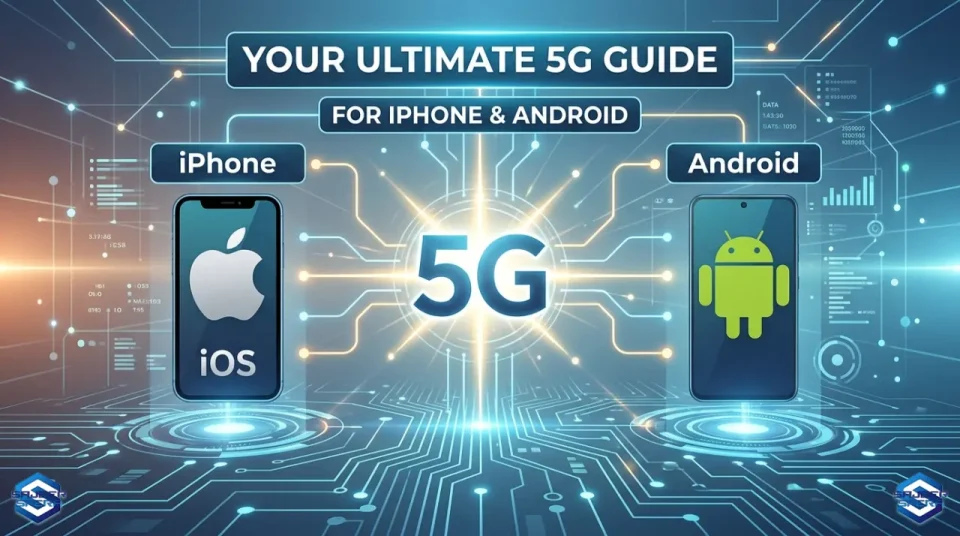
How to Enable 5G on Android & iPhone (All Carriers) 2026 Guide
If you’ve recently upgraded to a 5G-capable phone but still see only LTE or 4G in your status bar, you’re not alone. In practice, enabling 5G is rarely just a single toggle—it’s a combination of device compatibility, carrier configuration, and network availability working together.
Unlike previous generations, where switching from 3G to 4G was mostly automatic, 5G often requires a bit more manual verification. Depending on your phone model and carrier, the option may be hidden in network settings, restricted by your mobile plan, or simply unavailable due to coverage limitations.
In this guide, we’ll walk through how to properly enable 5G on both Android and iPhone, while also explaining why it sometimes doesn’t appear—even when everything seems correct.
📡 What Actually Determines Whether 5G Works
Before diving into settings, it’s important to understand that 5G availability depends on several factors working together.
First, your smartphone must support the correct 5G bands used by your carrier. Not all devices are fully compatible across regions, and some imported models may lack key frequencies.
Second, your mobile plan must include 5G access. Many carriers still restrict 5G to specific plans, even if your phone is technically capable.
Third, your SIM card (or eSIM profile) must be provisioned for 5G. Older SIM cards—especially those issued before widespread 5G rollout—can sometimes limit access.
Finally, coverage plays a major role. Even in cities with 5G infrastructure, signal strength can vary significantly indoors, in crowded areas, or behind physical obstructions.
Don’t miss this

🤖 Enabling 5G on Android (Step-by-Step with Context)
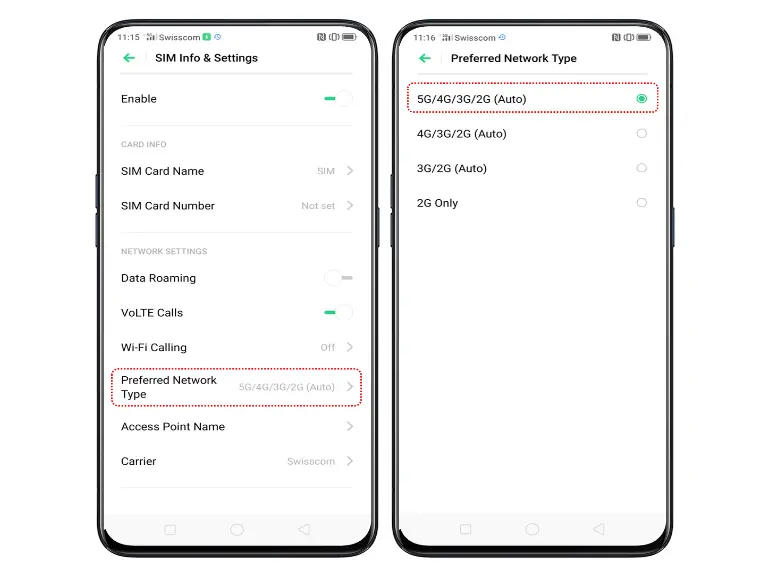
On most Android devices, the option to enable 5G is located within mobile network settings, although the exact naming varies slightly between manufacturers.
To enable it, open Settings, then navigate to Connections or Network & Internet, depending on your device. From there, enter Mobile Networks and look for an option labeled Network Mode, Preferred Network Type, or something similar.
Instead of selecting a fixed option like LTE, choose a mode that includes 5G—typically labeled:
- 5G/4G/3G/2G (Auto)
- or 5G Preferred
This allows your phone to automatically switch between network types based on signal strength and availability.
It’s worth noting that some devices hide the 5G option entirely if the carrier configuration hasn’t enabled it yet. In those cases, even a fully compatible phone may appear “limited” until the network settings update in the background.
🍎 Enabling 5G on iPhone (What Apple Doesn’t Explain Clearly)
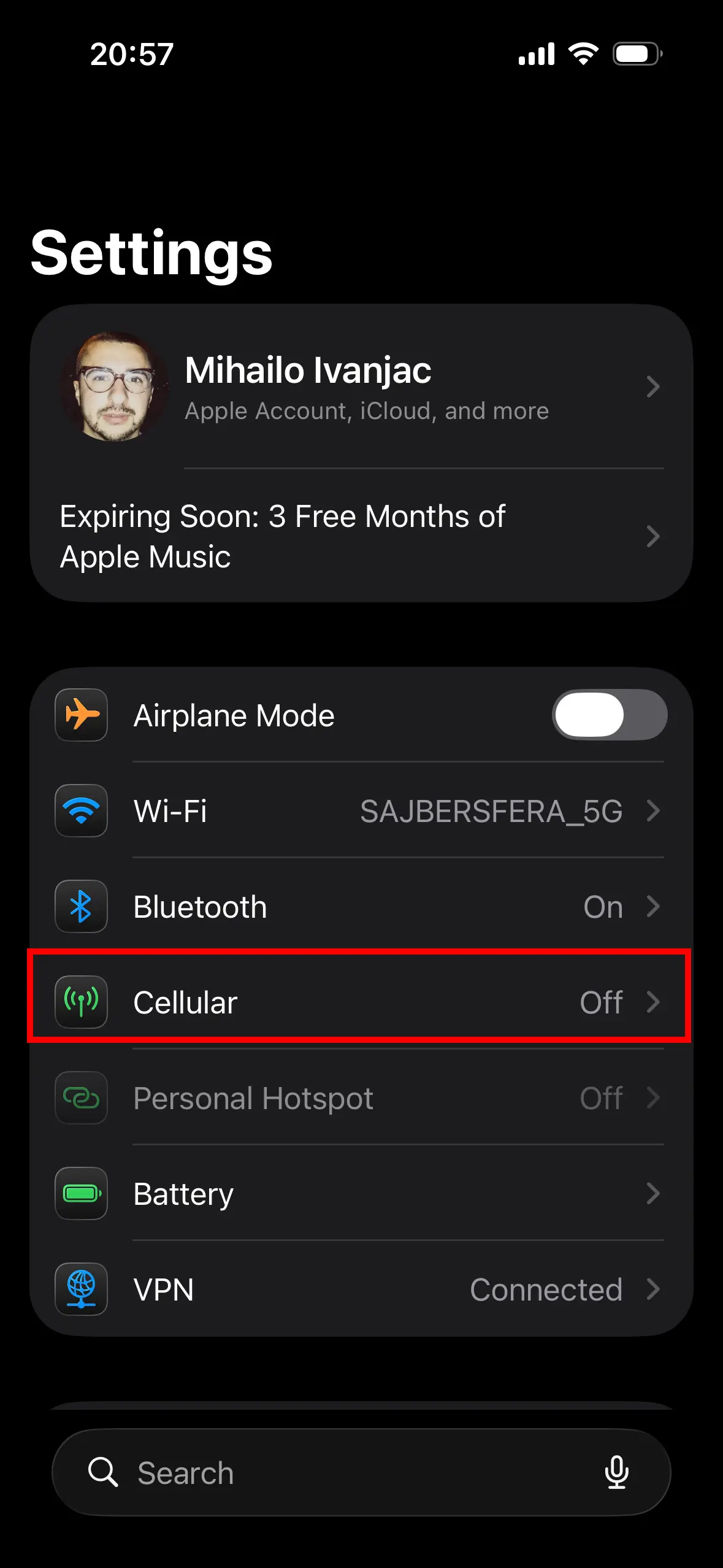
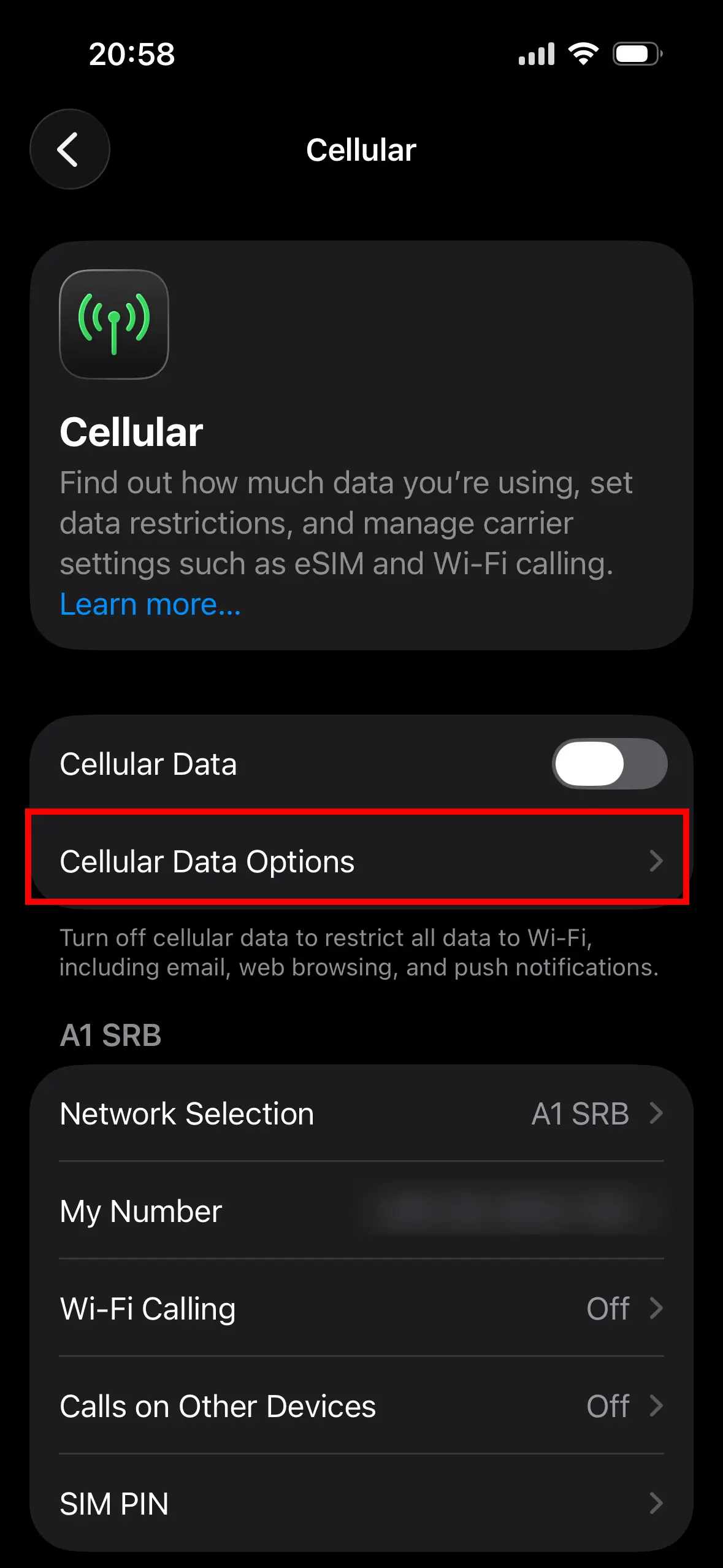
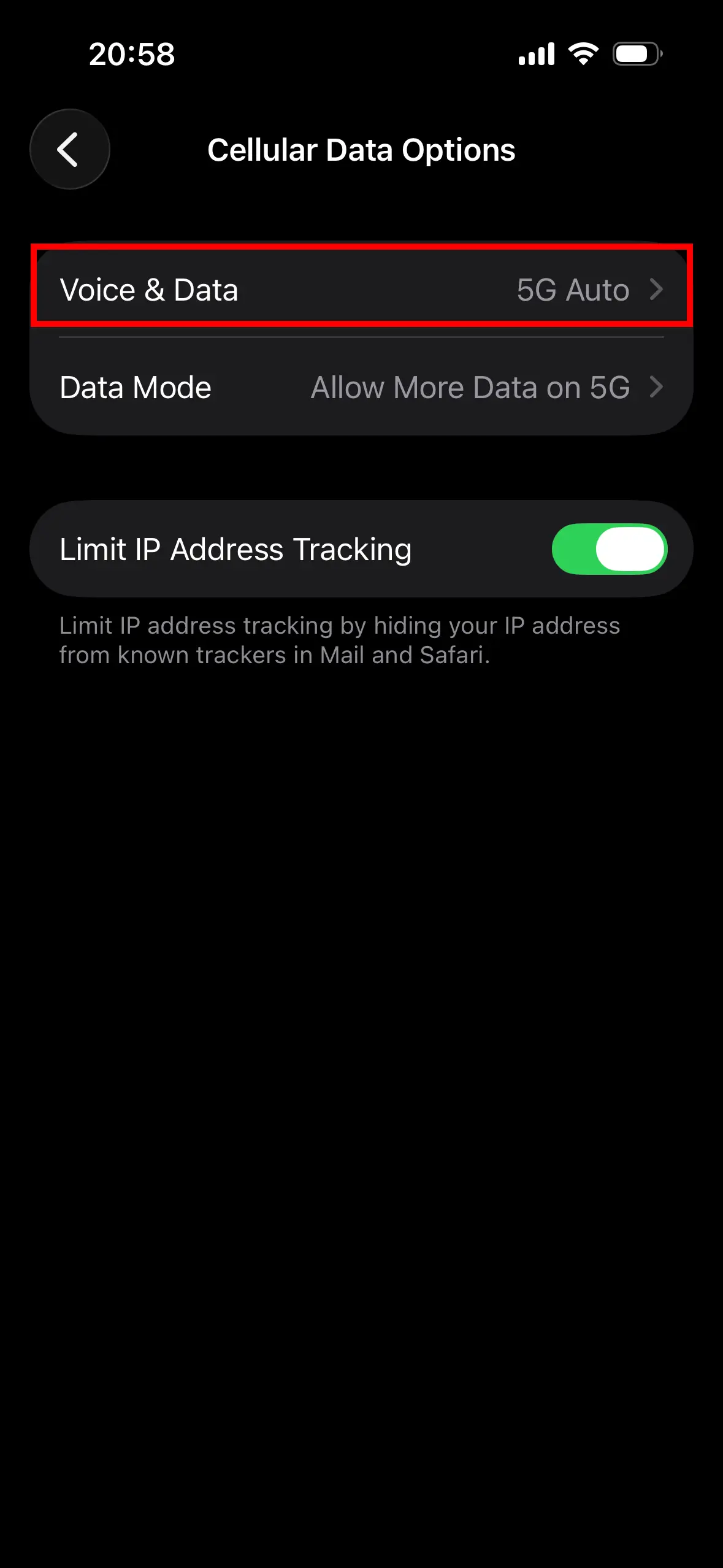
On iPhones, Apple takes a slightly different approach by offering multiple 5G modes rather than a simple on/off switch.
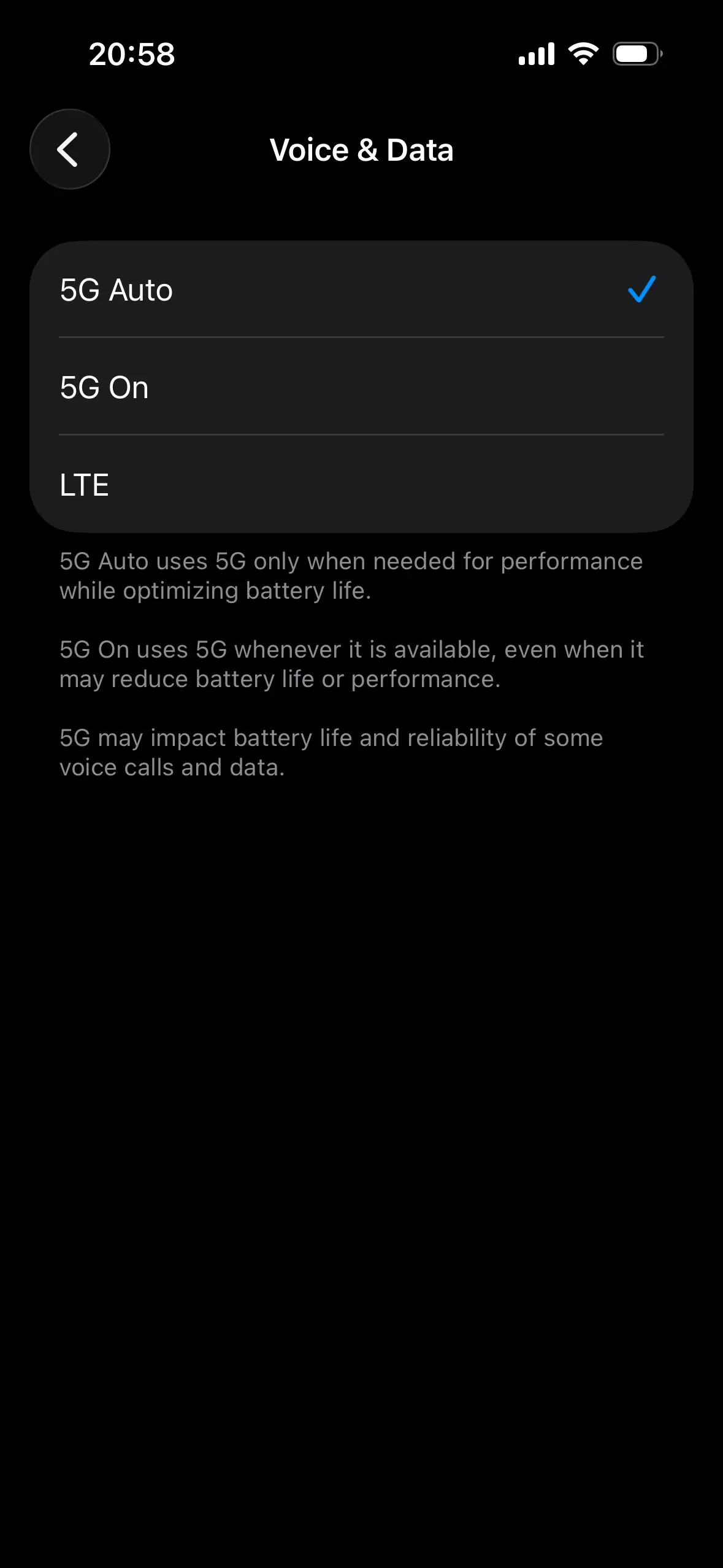
To access these settings, go to Settings → Cellular → Cellular Data Options → Voice & Data.
Here you’ll see three options:
Don’t miss this
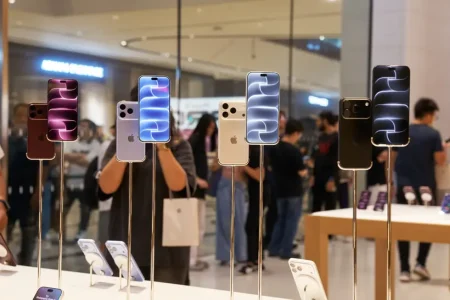
- 5G On – forces the device to stay on 5G whenever possible
- 5G Auto – dynamically switches between LTE and 5G
- LTE – disables 5G entirely
While “5G On” may seem like the obvious choice, it’s not always the most practical. In areas where 5G coverage is inconsistent, forcing a constant connection can lead to higher battery drain and unstable performance.
For most users, 5G Auto provides the best balance, allowing the phone to use 5G when it offers a clear advantage, and fall back to LTE when it doesn’t.
⚙️ Why Carrier Settings Matter More Than You Think
One of the most overlooked factors is carrier configuration. Even if your phone and SIM technically support 5G, outdated carrier settings can prevent the option from appearing.
On iPhone, these updates are prompted automatically when you open the About section in Settings. On Android, they are usually pushed silently, but can sometimes require a restart or SIM reinsertion.
If 5G isn’t showing up after enabling the correct network mode, it’s worth checking whether your carrier has fully activated the feature on your account.
❌ Why 5G Still Isn’t Showing (Real-World Scenarios)
In real usage, there are a few common reasons why 5G doesn’t appear—even after everything seems properly configured.
One of the most frequent causes is simply coverage inconsistency. Being technically “within a 5G area” doesn’t guarantee a stable signal, especially indoors or in densely built environments.
Another common issue is network congestion. In some regions, 5G infrastructure is still evolving, and devices may fall back to LTE for better stability.
SIM compatibility is another factor that’s easy to overlook. While many modern SIM cards support 5G, older ones may not, and replacing them can immediately resolve the issue.
Finally, temporary software glitches can interfere with network detection. In such cases, restarting the device or briefly enabling Airplane Mode is often enough to restore proper connectivity.
📊 5G vs 4G in Everyday Use
| Feature | 4G Network | 5G Network |
|---|---|---|
| Download Speed | Up to 100 Mbps | Up to 10 Gbps (theoretical) |
| Latency | 30–50 ms | Under 1 ms |
| Device Density | Approx. 2,000 per km² | Up to 1,000,000 per km² |
| Primary Use Case | Video streaming & social media | IoT, smart cities, VR/AR |
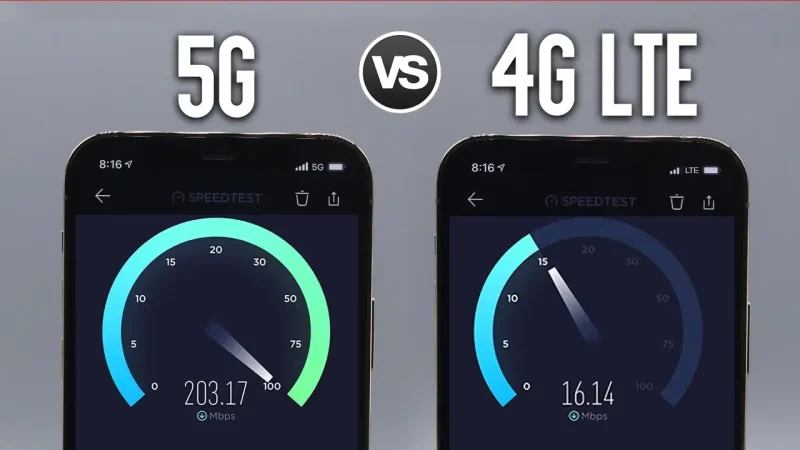
While 5G promises significantly higher speeds and lower latency, the real-world difference depends heavily on your environment.
In ideal conditions, 5G can deliver several times the speed of LTE, making large downloads, streaming, and cloud-based tasks noticeably faster. However, in weaker coverage areas, LTE can still provide a more stable and consistent experience.
This is why many modern devices intelligently switch between the two, rather than relying exclusively on 5G.
🔋 Battery Impact (What to Expect)
One trade-off that often surprises users is battery consumption. Maintaining a 5G connection—especially in areas with fluctuating signal—can drain the battery faster than LTE.
This is another reason why adaptive modes like 5G Auto exist, as they help optimize performance without unnecessarily increasing power usage.
Conclusion
Enabling 5G is usually straightforward from a settings perspective, but achieving a stable and reliable connection depends on a combination of factors beyond a simple toggle.
Once your device, SIM, and carrier are properly aligned, 5G can offer a noticeable improvement in speed and responsiveness. However, it’s important to understand that performance will always vary depending on coverage and network conditions.
In most cases, if 5G isn’t working, the issue isn’t the phone itself—but rather the surrounding network environment or carrier configuration.
❓ FAQ
Why is my phone showing LTE instead of 5G?
Even if your device supports 5G, it may still default to LTE in certain situations. This usually happens when the 5G signal is weak, unstable, or temporarily unavailable. In many cases, LTE actually provides a more consistent connection, so the phone switches automatically to maintain stability.
Another common reason is that your carrier plan or SIM card does not fully support 5G yet, even if coverage exists in your area.
Do I need a new SIM card for 5G?
Not always, but it depends on how old your current SIM card is. Newer SIM cards are typically 5G-ready, while older ones—especially those issued before widespread 5G rollout—may not support it properly.
If you’re unsure, the easiest solution is to contact your carrier and request a replacement. In many cases, switching to a new SIM instantly resolves 5G-related issues.
Does enabling 5G make a noticeable difference?
In ideal conditions, yes—especially for downloading large files, streaming in high quality, or using cloud-based apps. Speeds can be significantly higher compared to LTE, and latency is generally lower.
However, the real-world difference depends heavily on your location. In areas with weaker 5G coverage, the improvement may be minimal or inconsistent.
Should I use “5G On” or “5G Auto” on iPhone?
For most users, 5G Auto is the better choice. It allows the phone to switch between LTE and 5G depending on what delivers better performance at the moment.
Using 5G On forces the device to stay connected to 5G whenever possible, which can lead to faster speeds in strong coverage areas—but also increased battery usage and potential instability in weaker ones.
Why is 5G draining my battery faster?
5G requires more power, especially when the signal is weak or fluctuating. In those situations, your phone constantly searches for a stable connection, which increases battery consumption.
This is why adaptive modes exist—they help balance performance and efficiency without forcing the device to stay on 5G at all times.
Is 5G always faster than 4G?
Not necessarily. While 5G is capable of much higher speeds, performance depends on network quality and coverage. In some cases, especially indoors or in congested areas, LTE can actually feel more stable.
That’s why modern smartphones dynamically switch between networks instead of relying exclusively on 5G.
Why don’t I see a 5G option in settings?
If the 5G option is missing entirely, it usually means one of the following:
Your phone does not support 5G
Your carrier hasn’t enabled 5G for your plan
Your device firmware or carrier settings need an update
In some cases, the option only appears after inserting a compatible SIM card or updating network settings.